Automatic inventory
Know what you have, without a spreadsheet.
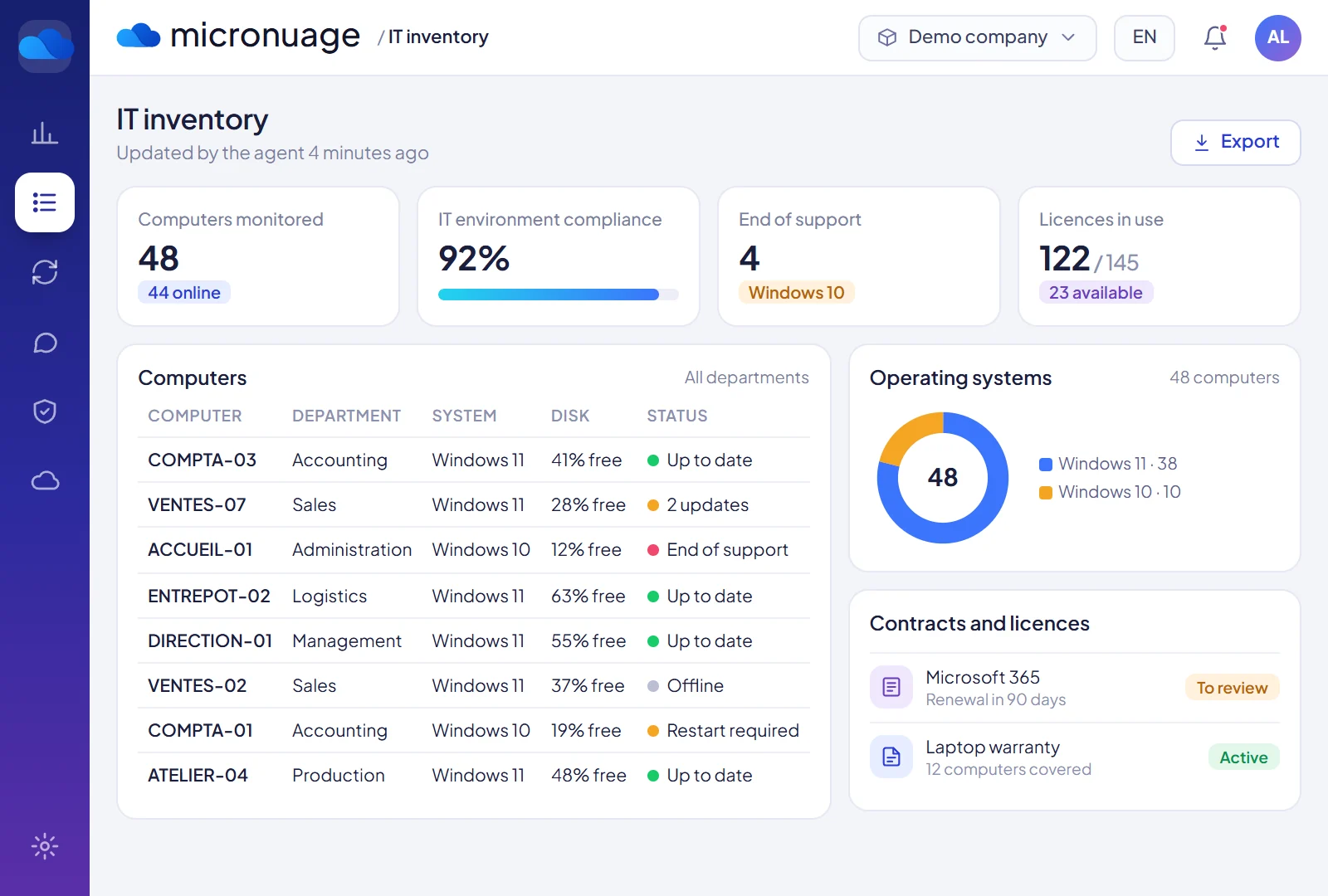
The agent lists computers, installed software and disk partitions, and keeps the inventory up to date.
Try it for free

Everything the platform does, in four pillars. Start with what you need today, with a single login.
Pick a module and see its main features:
Every computer, every piece of software, every contract in one place, up to date without a spreadsheet.
Know what you have, without a spreadsheet.
The agent lists computers, installed software and disk partitions, and keeps the inventory up to date.
Try it for freeFind any computer in seconds.
Group computers by department and spot the ones that need attention.
Try it for freeKeep deadlines in sight.
Record contracts and licences in the same place as the computers they cover.
Try it for freeSet the rule, track the gaps.
Define your policies and set a deadline to fix each gap.
Try it for freeNothing falls through the cracks.
Track what needs fixing, from alert to closing.
Try it for freeSee what changed.
Review each computer's history and export the inventory whenever you need it.
Try it for freeUpdates, installs and remote work, scheduled outside working hours.
Up-to-date computers, without disturbing anyone.
Apply Windows and supported software updates in your maintenance windows.
Try it for freeInstall without travelling.
Install and uninstall software on one computer or a group, based on the available rules.
Try it for freeThe work gets done while you sleep.
Group updates, disk cleanup and restarts outside working hours.
Try it for freeTake control from the browser.
Open a session from the computer's page, based on the permissions and consent in place.
Try it for freeGet notified before the employee calls.
Get alerts on computer health and act before the problem gets worse.
Try it for freeShow what was done.
See what was applied, on which computers and when.
Try it for freeA clear check of each computer, an explained action plan and an assistant for everyday questions.
A score for each computer.
A rules-based check, for one computer or the whole fleet, with critical items first.
Try it for freeKnow where to start.
AI explains the critical items and suggests an action plan. A person approves before acting.
Try it for freeYour procedures, in one place.
Build a company knowledge base with your procedures and answers.
Try it for freeAn assistant that answers your employees.
Employees ask questions from their computer. The assistant answers and opens a support request when needed.
Try it for freeSigns to check, not verdicts. And a clear view of what cloud and licences cost.
Spot the signs before a leak.
Signs of credentials or sensitive data visible on screen, depending on configuration. An authorized person checks.
Try it for freeTrack what matters to you.
Define the terms to track, with access controls and a retention period.
Try it for freeEvery alert has an owner.
Alerts and incidents are reviewed by an authorized person, who decides on next steps.
Try it for freeSee where the money goes.
AWS, Azure and Google Cloud costs by service, with read-only connectors.
Try it for freeSpot spending to review.
Recommendations from the available integrations, to approve before acting.
Try it for freeAdjust before renewal.
Spot some licences with no recent sign-in and adjust quantities.
Try it for freeKeep your computers up to date, understand issues with the help of AI and spot risks, with rules you control.
Platform, support and documents in French, and in English when needed.
A fixed price per computer per month, shown on the website.
The monthly plan has no commitment: you stay because it helps.
Health check and action plan explained by AI, with no paid add-on.
No extra remote access software to pay for.
Commands sent to computers are signed and leave a trace.
A team to take over when you need it.
On site when needed, in the region.
7-day free trial
On-site visits in Quebec City and Lévis from $125 CAD. Equipment and licences by custom quote. Taxes extra. See all pricing
Equipment and licences on custom quoteComputers, monitors, network and software licences proposed based on your actual IT environment.
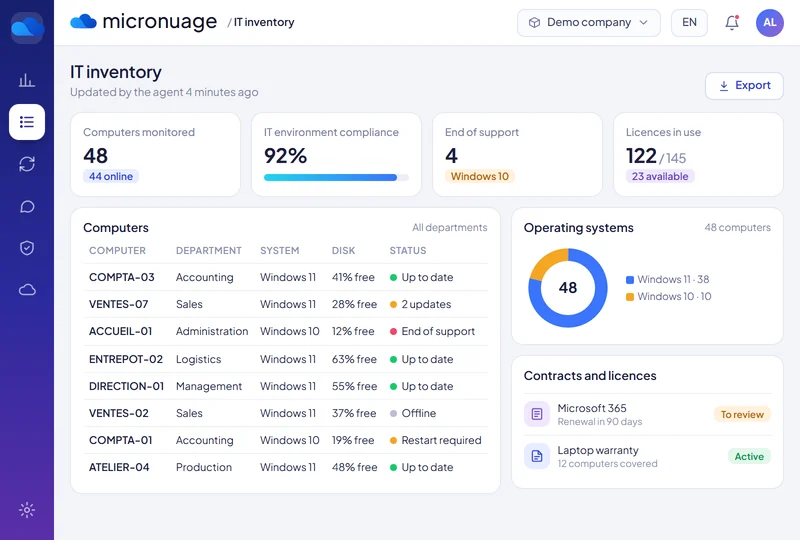
Computers, software, partitions, contracts and licences, organized by department. The agent keeps the inventory up to date and flags systems reaching end of support.
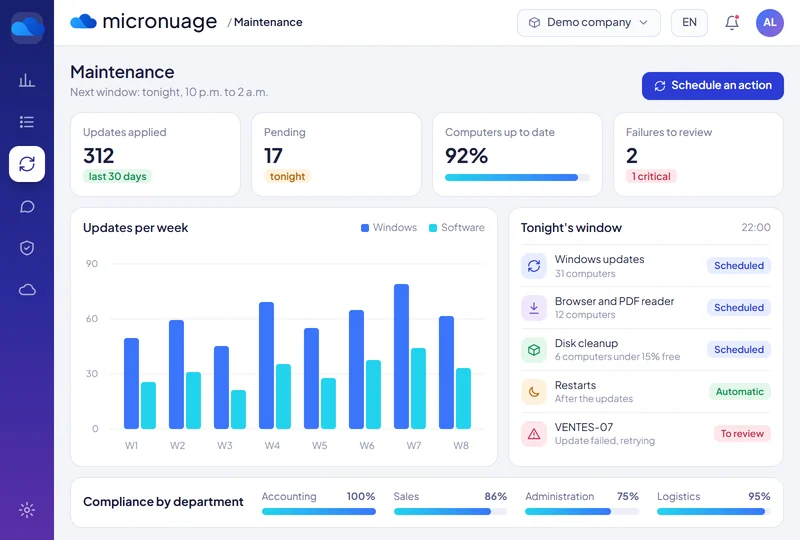
Updates for Windows and supported software, disk cleanup and restarts, grouped into maintenance windows outside working hours.
From the computer's record, open a session in the browser, based on the permissions and consent in place. No extra remote access software to pay for.
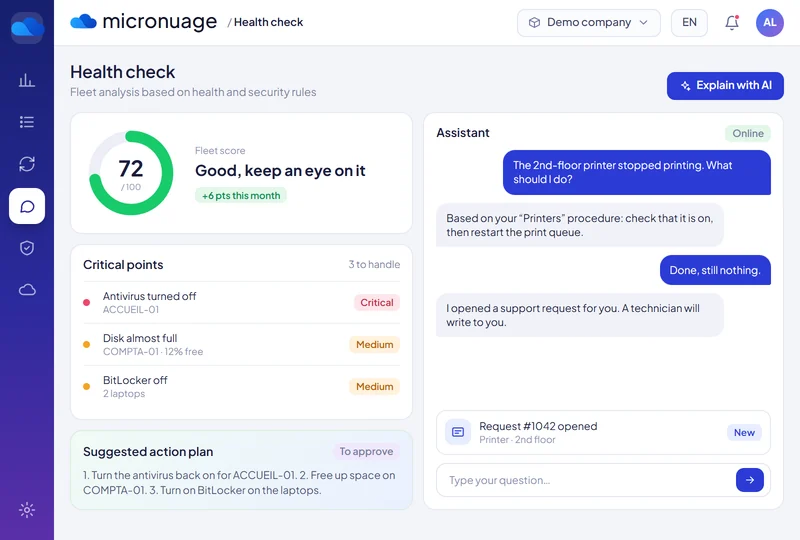
A score, critical issues and an action plan for one computer or all of them. AI explains, a person validates.
Employees ask their questions from their computer. The assistant answers from your knowledge base and opens a support request when needed.
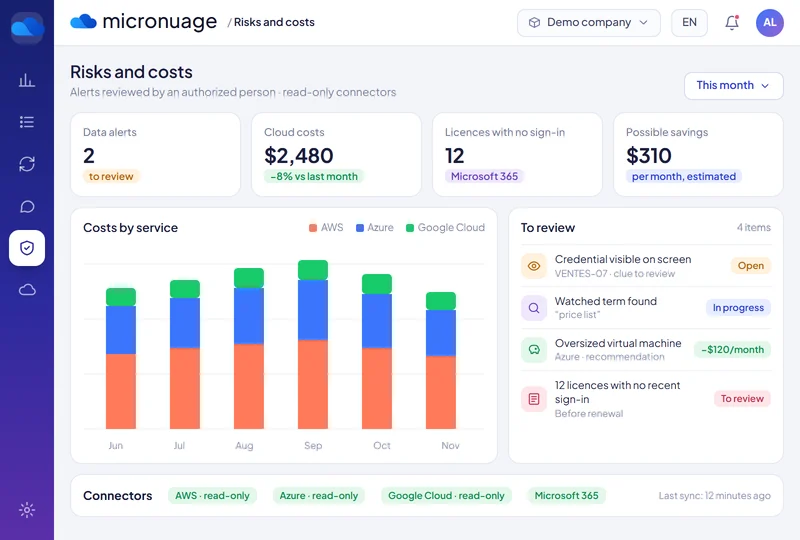
Signs of credentials or sensitive data visible on screen, and tracked terms defined by your organization. Each alert is reviewed by an authorized person.
AWS, Azure and Google Cloud costs by service, with savings recommendations. Read-only connectors: nothing is changed in your infrastructure.
Spots certain licences with no recent sign-in, so you can adjust quantities before the next renewal.
These features are included in the platform, from $4.99 CAD per computer, per month. Sensitive features are turned on only if you decide to.
Click each module to see the screens and how the platform works. All four modules are included in the same subscription.
Every company computer in one dashboard: what is installed, what is no longer supported and what is coming due. No spreadsheets.
IncludedComputer history and inventory exports, with no paid add-on.
from $4.99 CADper computer/month
Updates, installs and fixes done remotely, in your maintenance windows, outside working hours.
IncludedRemote access from the browser: no extra remote access software to pay for.
from $4.99 CADper computer/month
A clear check of each computer, an action plan explained by AI and an assistant that answers your employees.
IncludedHealth check and assistant included in the platform, with no paid AI add-on.
from $4.99 CADper computer/month
Leak clues to review, not verdicts. And a clear view of what cloud and licences cost.
IncludedData alerts and cloud cost tracking, turned on based on your configuration.
from $4.99 CADper computer/month
When you'd rather not handle everything yourself, our team takes care of it: from setup to follow-up.
The agent installed on your computers, the inventory checked and access set up for the right people. You start from a clean base.
Learn more →Policies, maintenance windows, alerts and knowledge base set up to match your rules and the way you work.
Learn more →Updates, installs, employee requests: we work remotely anywhere in Canada, within an agreed scope.
Learn more →When a visit is needed, a technician comes on site: installation, computer replacement or network.
Learn more →Not sure where to start?Tell us about your IT environment. An expert will reply with the shortest path.
Talk to an expert



The platform connects to the tools your business already uses. Cloud connectors are read-only: nothing is changed in your infrastructure.

How to find the software and services installed without approval, gauge the risks and put a simple process in place instead of a ban.
Read the article
A five-step method to build a small business IT budget from your inventory, separate recurring from one-time costs and plan for known deadlines.
Read the article
Remote work or IT support: the risks of remote access to computers and 7 best practices for securing it in an SMB.
Read the article
A five-step method to lower your company's AWS, Azure or Google Cloud bill: visibility, cleanup, rightsizing and commitments.
Read the article
The signs that a computer needs replacing, when an upgrade is enough, and how to spread the renewal of your computers across the budget.
Read the articleComputers, monitors, network and software licences proposed from your actual inventory, by quote, with remote or on-site installation.
Yes. The platform is designed so that the person responsible for IT, even part-time, can follow the inventory, alerts and maintenance from a single dashboard. Add managed IT only if you need it.
It's not required, but you need a designated person to approve actions and receive alerts. If no one has the time, managed IT takes care of deployment, configuration and remote work within an agreed scope.
The platform manages Windows computers. For any other operating system, talk to us before you commit: we don't advertise it as supported. Cloud costs can be tracked for AWS, Azure and Google Cloud through read-only connectors.
Access is through the browser, from the computer's record, based on the permissions granted to each user and the consent rules set in the configuration. No separate remote access software is needed.
No, not automatically. The platform subscription includes help using the software. Deployment, configuration and work on your computers are part of the managed plans (Managed Essentials or Remote Support), offered remotely across Canada, or billed by the hour. On-site visits are offered in Quebec City and Lévis.
The platform starts at a fixed price per computer per month, shown on the Pricing page in your currency, with a 10-computer billing minimum and volume pricing above 50 computers. Managed plans start at CA$19 per computer per month, platform included. Equipment and licences are quoted in a written proposal.
Describe what you need in the quote request form: type of equipment or licence, quantity, deadline. We reply with a proposal. There is no online catalogue and no payment on the site.
The platform tracks the technical state of computers: inventory, updates, basic security, installed programs. Risk-related features, such as detecting signs of data exposure or tracking terms, only work if your organization enables and configures them, with defined access controls and retention period. It is up to you to inform your employees according to your obligations.


